
Here’s something that surprised me when I first came across it: businesses that work with virtual assistants save up to 78% on operational expenses compared to hiring equivalent full-time, in-house staff. Not just time saved. Actual cost. That number stopped me when I read it, because it reframes the conversation entirely. Most business owners I speak with think of a VA as a convenience. That stat suggests it’s closer to a financial strategy.
Source: VA Masters. Virtual Assistant Industry Statistics 2026 (https://vamasters.com/virtual-assistant-industry-statistics-2026/)
When people find out I’m a VA, one of the first questions they ask is: “What tools do you use?”
It’s a reasonable question. Tools are visible. They’re concrete. They’re the part of the work that feels easy to evaluate.
The honest answer is: it depends. Not as a cop-out, but as a genuine reflection of the work. The tools I reach for with a solopreneur managing client projects are different from what I’d use with a small team that’s outgrowing its systems. And both of those are different from what works for a C-suite executive who needs high-level support without disruption to how they already operate.
So instead of giving you a list, I want to walk you through how I think about it.
Communication and coordination
Every client I’ve worked with has some version of the same problem. Information lives in too many places. Emails, text messages, a voice note sent at 11pm, a sticky note photographed and sent via WhatsApp. Nothing wrong with any of those in isolation. The problem is when nobody can find the conversation that matters.
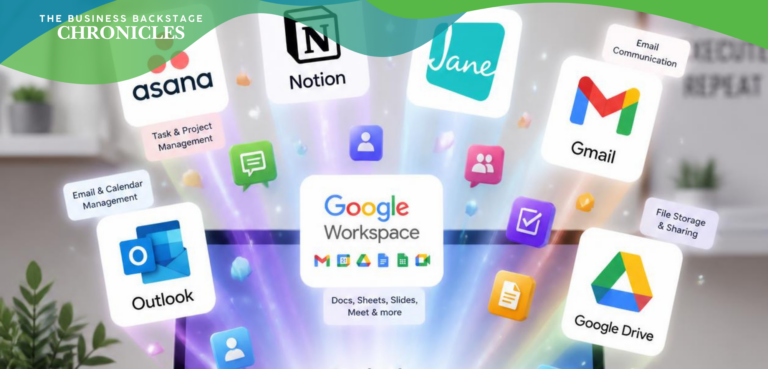
For most small businesses and solopreneurs, a shared inbox or a simple project tool like Trello or Asana solves a lot of this. You don’t need something elaborate. You need somewhere everyone agrees to look.
For more complex operations, I may lean toward tools like ClickUp or Notion, which let you build something closer to a living document of how the business runs, not just a task list, but context, process, and history in one place.
The key question isn’t “what’s the best tool.” It’s “Where are things falling through right now, and what would actually catch them.”
Scheduling and time protection
This one matters more than people give it credit for.
Disorganised calendars are one of the most common things I help clients sort out. Double-bookings, back-to-back calls with no buffer, meetings that could have been emails taking up mornings, and mornings that should have been protected becoming reactive by default.
Calendly and similar tools work well for external bookings. But the real work is usually in the calendar audit before any tool gets involved. Which commitments belong on the calendar at all. Which ones can be batched. Which hours are genuinely unavailable and need to be blocked off rather than left open for whoever books first.
Tools are only as useful as the decisions behind them.
Document creation and shared files
Google Workspace is what I use most often, because most clients already have it and the collaboration features are genuinely good. For clients in more formal corporate environments, Microsoft 365 tends to be the default, and it handles the same ground well.
What matters more than which platform you choose is having a folder structure that makes sense to everyone, not just to you. A filing system organised around how you find things, rather than how you filed them, saves real time.
Automation and recurring tasks
This is where I tread carefully, because automation is one of those things that feels like a quick win and can quietly create new problems.
Done well, a tool like Zapier or Make can remove the repetitive tasks that eat into a VA’s capacity and, more importantly, yours. A new client inquiry that automatically adds a contact to your CRM, triggers a welcome sequence, and creates a folder in your shared drive is genuinely useful.
Done poorly, it creates a chain of events that nobody quite understands when something goes wrong at step four.
My approach: automate only what you understand well enough to fix. If you can’t describe what should happen when it breaks, you’re not ready to automate it.
The question underneath the question
When someone asks me which tools to use, what they’re usually really asking is: “How do I get more organised without having to think about it?”
The answer is that some thinking is required upfront. The right tool for your business is the one that fits how you actually work, not how you’d like to work in theory. A beautiful project management system that nobody updates is worse than a simple shared spreadsheet that everyone checks.
I’d rather set up something humble and functional than something impressive and abandoned.
In my next post, I’ll get into the questions I’m asked most often by clients, and what those questions usually reveal about where the real work needs to happen.